I purchased a Savage 110 at the 2025 Fall Tulsa Gun Show for $750. I have recently started using it as a PRS and a hunting rifle, this is my review.
The bolt is fairly smooth but can sometimes be a bit hard to cycle. The mag also sometimes has issues feeding but these are few and far between.
As for accuracy I have had great results at ranges out to 800 yards, for long range shooting I generally recommend not loading the mag and just putting a single round in the action, this is just because you won’t have to yank the bolt as hard so you are less likely to lose your target in the scope.
I have not used it yet for hunting but I will be using it next deer season.
Compared to other .300 win mags it is fairly light but front heavy, I am surprised at how easily it can be shouldered.
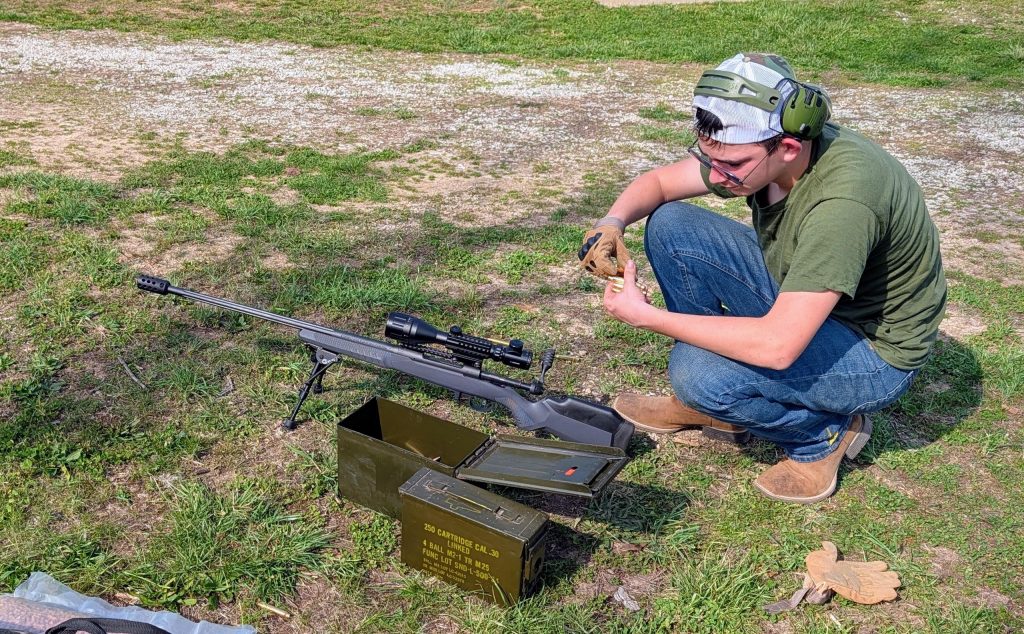
This is me with my rifle.
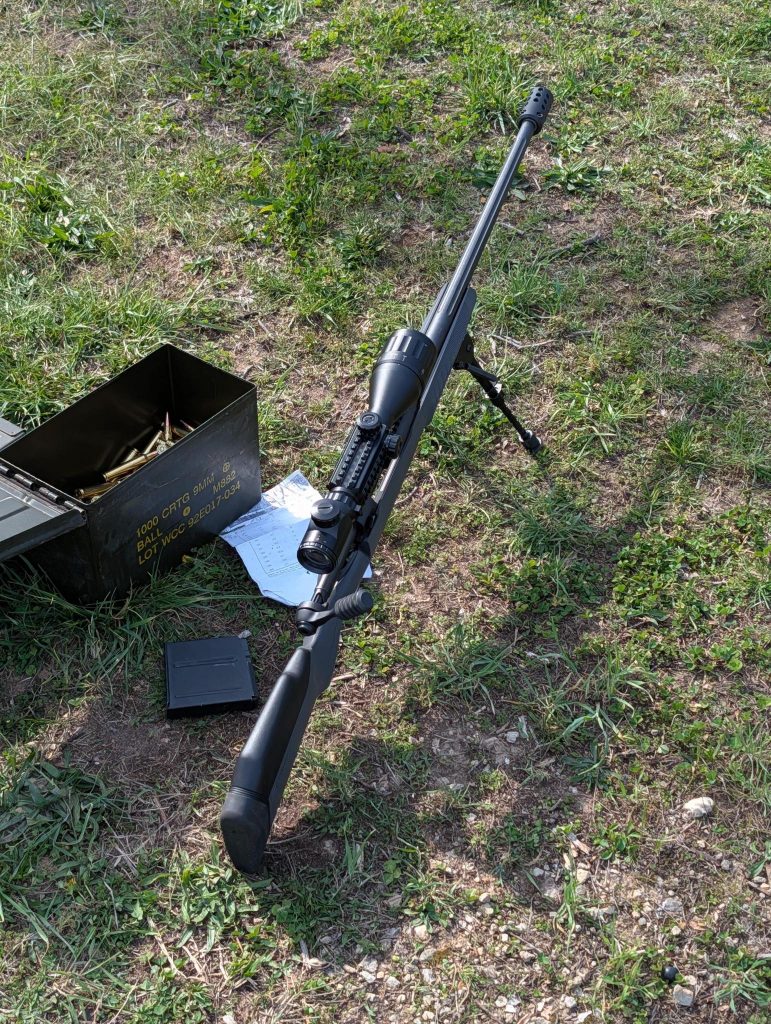
Here’s a better picture of just the rifle and dope card.
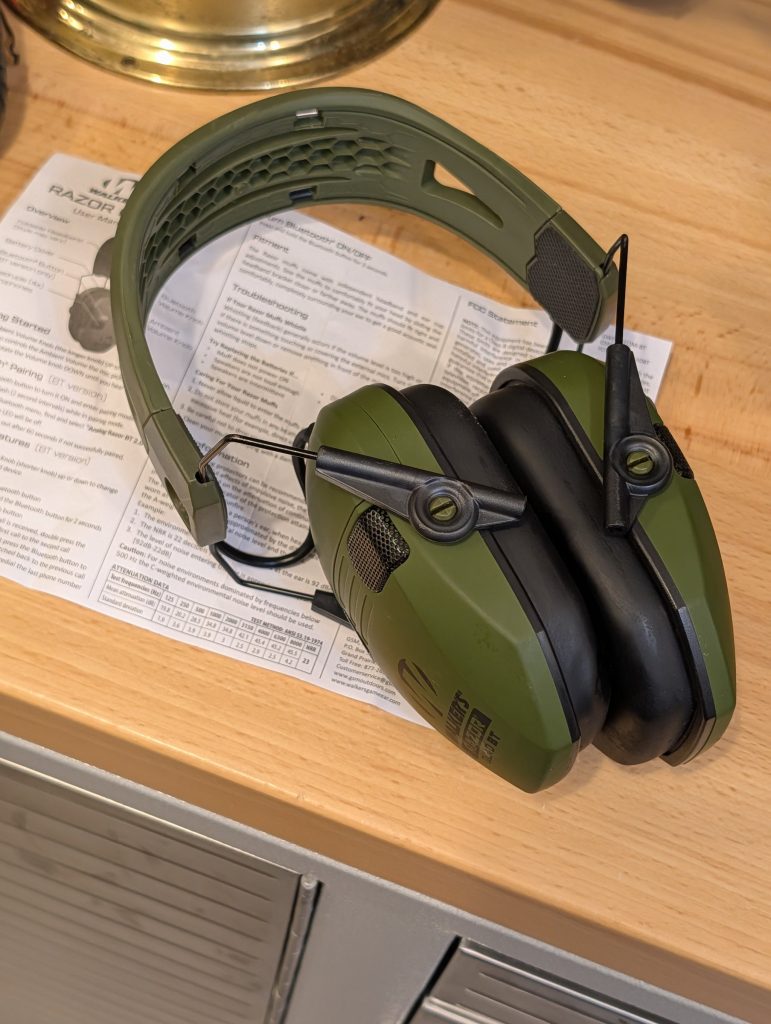
I use Walker’s Razor Quad muffs at the range and couldn’t find the instructions online when I needed them, so I scanned my manual. If you lost yours or bought a used pair, here’s the PDF.
Model GWP-RSEQM-BT. Covers the standard and Bluetooth versions, in English and Spanish.
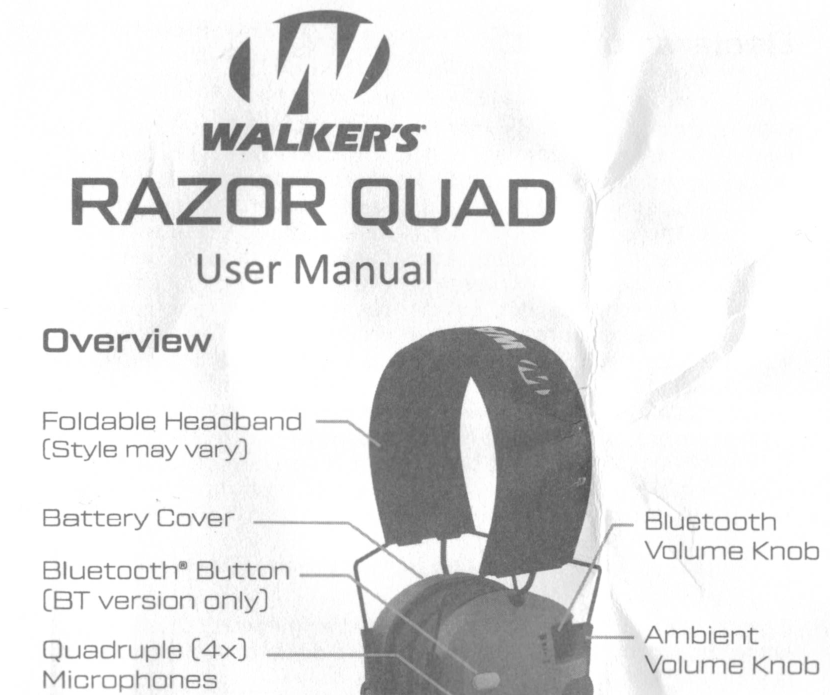
Controls Overview
Controls diagram from the Walker’s Razor Quad user manual.
The Razor Quad has two knobs on the right ear cup and a button on the left (BT version only):
Ambient Volume Knob (longer knob, right cup): Powers the muffs on/off and controls how much outside sound the four microphones pick up. This is the knob you’ll use the most.
Bluetooth Volume Knob (shorter knob, right cup): Controls the volume from your paired phone or device. Only does anything when Bluetooth is connected.
Bluetooth Button (left cup, BT version only): Handles pairing, phone calls, and toggling Bluetooth on/off.
Battery Cover: Slides open on the left cup. Takes 2 AAA batteries.
Quadruple Microphones: Four mics (two per cup) that pick up sound from all directions.
Quick Reference
These are the things I had to look up myself.
How to Turn On/Off
Roll the Ambient Volume Knob (the longer knob) up to power on. Same knob controls how much sound the mics pick up around you. To turn off, roll it down until you hear a click.
Bluetooth Pairing
Tap the Bluetooth button to enter pairing mode
Blue LED flashes every 2 seconds while it’s searching
On your phone, find “Analog Razor BT 2.0” and connect
LED turns off when paired
It times out after 60 seconds if it doesn’t find anything. To turn Bluetooth off entirely, hold the Bluetooth button for 3 seconds.
Phone Calls
Answer: Tap the Bluetooth button
Reject: Hold for 2 seconds
End call: Tap the Bluetooth button
Switch calls: Double-tap
Redial last number: Double-tap when not on a call
Whistling/Feedback
If your muffs are whistling, the volume is probably too high or something is touching the external mics. Turn it down or move whatever is in front of them.
Battery Replacement
The Razor Quad runs on 2 AAA batteries. Replace them if:
Muffs won’t turn on
Sound is fuzzy or distorted
Speakers cut in and out
You hear a weird “motor-boating” noise
What I Think
I like these a lot. The four microphones pick up conversation really well, so I can hear what’s going on around me at the range without taking them off. The Bluetooth is nice for listening to music between sets. NRR is 23 dB, which is solid for electronic muffs.
Accessories Worth Knowing About
If you’ve had your Razor Quads for a while, the ear pads eventually wear out or flatten. Gel ear pad replacements are a big upgrade over the stock pads. They seal better and are way more comfortable for long range sessions.
Some links on this site are affiliate links. Wear proper hearing and eye protection when shooting. Info was accurate when written. Post drafted with help from AI tools.